The mouse did not survive interrogation.
Also mouse not pictured.
mouse not pictured
Got my hopes up for nothing!
I stared at that picture like it was a Where’s Wally for like 10 minutes before I came to check the comments and saw this note in OP’s message…
It’s OK I gotchu

Fun fact - he’s called that because this same thing happened to him with a dead mouse in the pc case.
No mouse problem, but I’ve had to take measures to prevent cat-related downtime. Cats and power-button at the top is not a good combination.
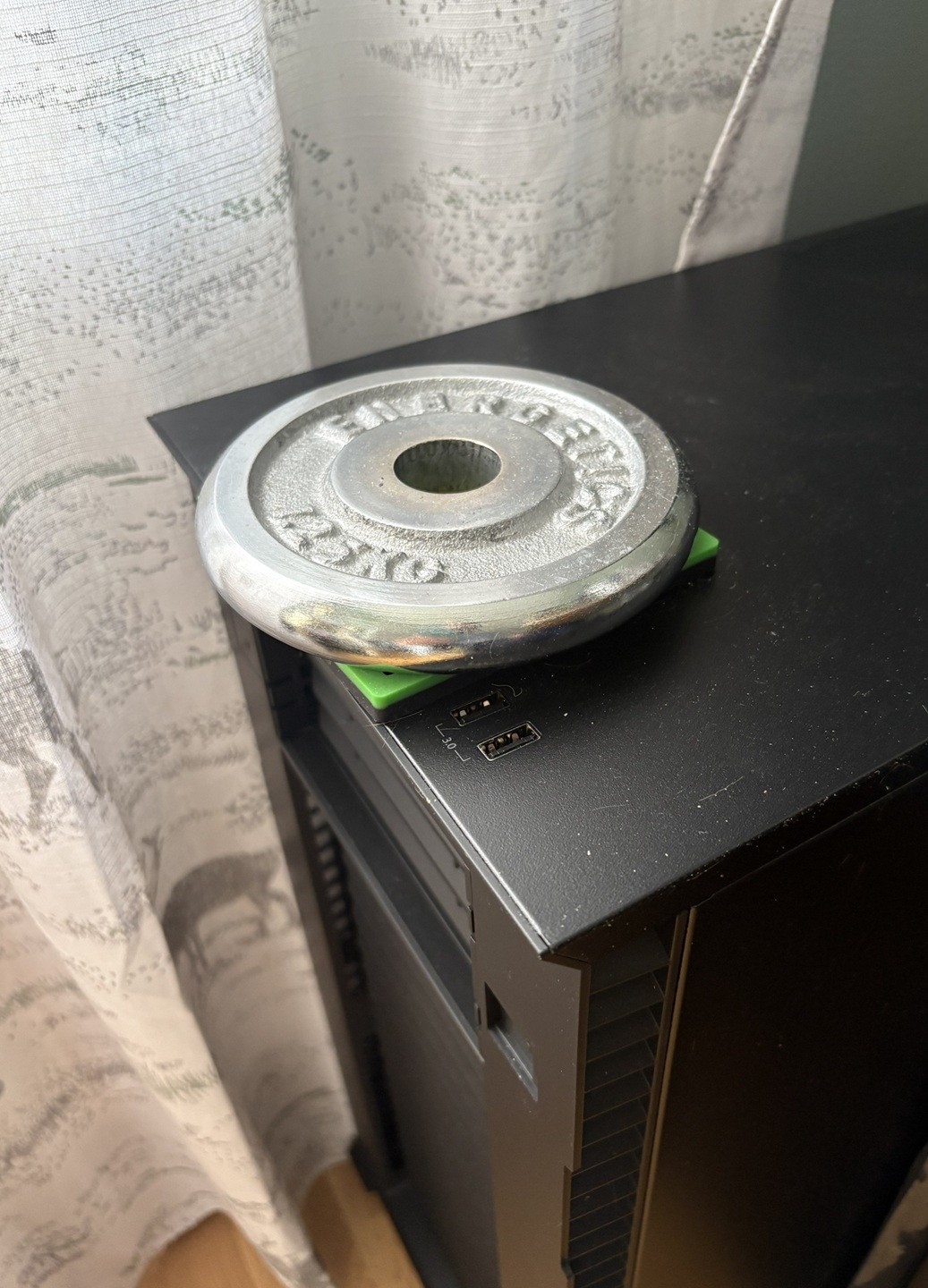
When I had this problem I disconnected the power button on the motherboard.
Cant you just assign a different action to that power button instead of messing with it internally?
You can for a click, but no way for the long press, as that’s handled on a lower level
You got a point. Cats are sneaky 😅
yeah what if cat does a
sudo shutdown -r nowthen we’re really in troubleTaht’s too, but that would still be better than biting the cables.
That should recover. A sneaky cat will
systemctl reboot --firmware-setup.Or just run a cpuburn to ensure that temperatures will stay at cat levels.
Did you reconnect it everytime you had to power it on?
On one computer I had a recessed reset button, so I used that as power.
Another computer I added a wire to an external button double stick taped to the back of the monitor so I can turn on both at the same time.
You sound like you are one step short of wiring up a giant lever to dramatically pull down when you want to power on the computer.
Throw the second switch!

Nah just jam a screwdriver in there to jump the pins.
You shut down your PC though?
I lost a raspberry pi for a couple months. Just couldn’t find the darn thing. It was working fine serving away.
Turns out it was in the basement. I forgot I moved it to be closer to my tilt Hydrometer.
Oh, good thing you wrote this. I’m about to give one of my printers away and there’s still a pi inside
Cups?
Ooo, another bash mirror. Nice!
also mouse not pictured
😤😤😤
“not enough space in the used server for a standard power unit”
I wanted to put a dedicated graphics card in there for interference experiments - but the server is, well, a server - and those high availability PUs are expensive and a hell to cable manage
But a Dremel I had at hand … And a second PU as well. Now my server has a second power unit which is only powering the graphics card and is short circuited to be always-on.
self-made problems require self-made solutions.
Then you tell people about it on IRC and become known as “the dead mouse guy”.
But the maximum nickname length on the IRC server is limited, so you settle for “deadmau5” as your nick.
I hosted shit for about ten years before really understanding how local dns worked.
Imagine a primitive society that discovered literally every major modern scientific achievement, but somehow missed the wheel. That’s basically how my first setup went lol.
I do not self host. I just wandered in here. Do you have suggested resources to learn more about DNS? I feel like generally searching shit sucks to get an answer like that lately.
A dns server knows what and where things are. That’s its only real job, to tell who’s asking where say, http://eff.org/ is.
“Ay homie, where’s https://eff.org/?”
over here - 173.239.79.200
“thanks, bud!”
The issue is, the dns server you use by default is under the control of whoever your provider is, and as a result, they get all of your dns lookups like the example above as well as every porn site, every piracy site, everywhere.
Installing your own, or simply moving to one your provider has no business with like 9.9.9.9 can help keep your dns queries more private, go a step further and use encrypted dns, as many providers supply, and you’ll be even further covered.
Installing your own, however, comes with the added perk of being able to apply your own dns entries. Suddenly local addresses can have custom names without ever touching a hosts file. Neat! Use DNS certs and you’ve got local SSL!
I would go find something applicable to feed you for a dns 101, but my old resources don’t exist. I just know stuff from years of doing it and failing over and over until things work.
At my first-ever tech job back in 2000, I was given a little Celeron desktop computer to do my work: mostly writing some ColdFusion and cutting up images in Photoshop. For the most part, the machine worked fine, except whenever I scrolled down on a webpage in Netscape, the box’s PC speaker would start screaming. I tried to ignore it, but I was in a small room with two other nerds and it was getting really annoying.
One day, my frustrated colleague decided it was time to investigate. As part of the process, he noticed that there was very little air coming out of the power supply fan port. “Must be a busted fan and that’s causing an overheating alarm” he declared. We unplugged the box, popped it onto my desk, and opened it up. The internals were pristine. No dust, nothing. The computer was practically brand new after all.
We were just about to crack open the power supply (not recommended, but we were getting desperate) when my colleague noticed that something was wedged inside the fan… it was the biggest (dead, thankfully) cockroach I have ever seen, at least 10cm long. For context, this was in Vancouver, Canada. Those just don’t exist there.
My colleague jammed his screwdriver in there to grind up the cockroach carcass, then plugged the box back in. After a shittone of dessicated cockroach guts spewed out the back, my little computer was operating normally.
As best we could guess, the monster crawled into the fan in Malaysia when as was assembled and somehow got pinned in there, died of starvation, and then stowed away to Canada.
And this is the way bioinvasor species spread - most of the time they don’t come delivered inside of PSUs but simple crates, which improves their survivability lol
Optical or roller ball?
I have a strong suspicion that the answer is mammilion
That sounds like a lot. Is it more than a bajillion, or less?
Acronyms, initialisms, abbreviations, contractions, and other phrases which expand to something larger, that I’ve seen in this thread:
Fewer Letters More Letters AP WiFi Access Point DNS Domain Name Service/System ISP Internet Service Provider NAS Network-Attached Storage NVMe Non-Volatile Memory Express interface for mass storage PCIe Peripheral Component Interconnect Express PSU Power Supply Unit RAID Redundant Array of Independent Disks for mass storage RPi Raspberry Pi brand of SBC SBC Single-Board Computer SSD Solid State Drive mass storage SSH Secure Shell for remote terminal access
11 acronyms in this thread; the most compressed thread commented on today has 4 acronyms.
[Thread #80 for this comm, first seen 18th Aug 2026, 08:10] [FAQ] [Full list] [Contact] [Source code]
For a while, the windows machine I was using kept randomly becoming unresponsive (both via network, as well as the keyboard+mouse) and I just could not figure out why. Everytime it did, I’d have to force a shutdown by holding the power button until it shutoff, then press it again to start back up. Sometimes this happened while I wasn’t home, so it had to just stay offline until I was.
I got sick of having to do this; so I replaced the power button with a transistor and a RPI. The PI would ping the server every 5min; if it failed to get a response 3 times in a row, it would trigger the transistor for 10sec, release for 3sec, then press and release again; forcing a poweroff then starting the machine again. It’d also write these events to a log file. I think it was around twice a week ish.
Never did figure out what the cause of the lockup was; but it stopped when I replaced windows with Debian.
I used to have a Ryzen 2700X based system as a server. At the time (no clue if it’s still an issue), there was a bug in the interaction between early Ryzen chips and Linux that caused the OS to lock up intermittently. I used a ATmega32u4 board to connect to the reset switch on the PC and as a USB device with a systemd unit that sends a ping to the board every 30 seconds. If the board doesn’t see a ping for a minute, it reboots the PC. It was janky as hell, but it worked for 2+ years!
so you reinvented watchdog?
yes, it’s a zip-tie-and-duck-tape watchdog that cost me $5
most BIOSes have it as an option though
I don’t know about “most”. It hasn’t been an option on any of the consumer motherboards I’ve used in my homelab.
I got a little fanless atom PC from work that was being tossed because it “didn’t work.” It did work you would just have to apply pressure to it before boot because the CPU must have been coming unsoldered. I just stuck it on the bottom of like 30 pounds of gear and never had a problem.
How on earth did you diagnose that one?
There was an era where the BGA chips giving up the ghost was a common enough occurrence and pushing on things was a relatively normal troubleshooting step
I do not care to admit how many times when I was first getting into home labbing that I could not figure out why I could not reach a pi or the internet. All because I either killed an SD card for pihole or just plain out forgot to put one in!
I took my SD card out of the rpi to reinstall home assistant. Terribly annoyed because I had no backup of my configuration.
When reinstalling my SD I found out it was the ethernet cable that wasn’t plugged in.
I should really make a dd image of my card for the Pi I use for all my switch serial connections.
I am so afraid of an SD card dying and killing my HA so I have a HD setup. I have one good SD card of the 10’s of cards I have killed and it is now running my ssh honey pot on a pi 0 2.
Yeah, that was the last iteration of the setup. I had two SD’s break before I figured out they aren’t suited for running high read/write systems. Lessons learned during homelabbing.
I’ve had a mouse burn my generator coils while going in while running